
Run a tactical live map
Use this walkthrough to build a live map from authorized tracks and location updates, then operate the included operator application. The map keeps its view narrow and makes connection and freshness states visible.
For a map that needs tracks and their location updates:
- Open a TRACK entity stream for the exact authorized integration.
- Learn the bounded set of entity IDs relevant to the current view.
- Open location watchers only for those IDs and the same integration.
- Use latest-value delivery, age each observation, and mark stale data clearly.
- Close watchers when entities leave the view.
- Never replace this with an all-category, all-integration capture subscription.
from uuid import UUID
from picogrid_ecn_client import DeliveryPolicy, ECNClient

async def observe_visible_locations(client: ECNClient) -> None:    visible = {        UUID("00000000-0000-4000-8000-000000000001"),        UUID("00000000-0000-4000-8000-000000000002"),    }    stream = await client.locations.watch(        entity_ids=visible,        integrations={"authorized-source"},        buffer_size=32,        delivery=DeliveryPolicy.LATEST,    )    try:        async for event in stream:            print(event.entity_id, event.location.latitude, event.location.longitude)    finally:        await stream.aclose()
Use the runnable track watcher and location observer as small building blocks. Observed state is ephemeral and should not be presented as authoritative history.
For a complete runnable view, use the included operator application. Its separate wheel contains the compiled browser application and runs on the installed public client wheel. It correlates entity and location events by canonical UUID, displays bounded connection and stream diagnostics, and closes its watchers and MQTT client deterministically. Read-only mock mode is the default. Enabling tasking in either mode requires explicit integration, command, and exact target-UUID allowlists, the tasking flag, typed payload validation, and per-publication operator confirmation; there is no command discovery, automatic tasking, or retry that could duplicate an effect.
Sanitized offline gallery
Section titled “Sanitized offline gallery”These views are generated from the loopback mock with deterministic synthetic data. They are offline UI evidence only and contain no live entity, endpoint, credential, remote tile, or staging observation.
| Viewport and theme | Screenshot |
|---|---|
| Desktop, dark | 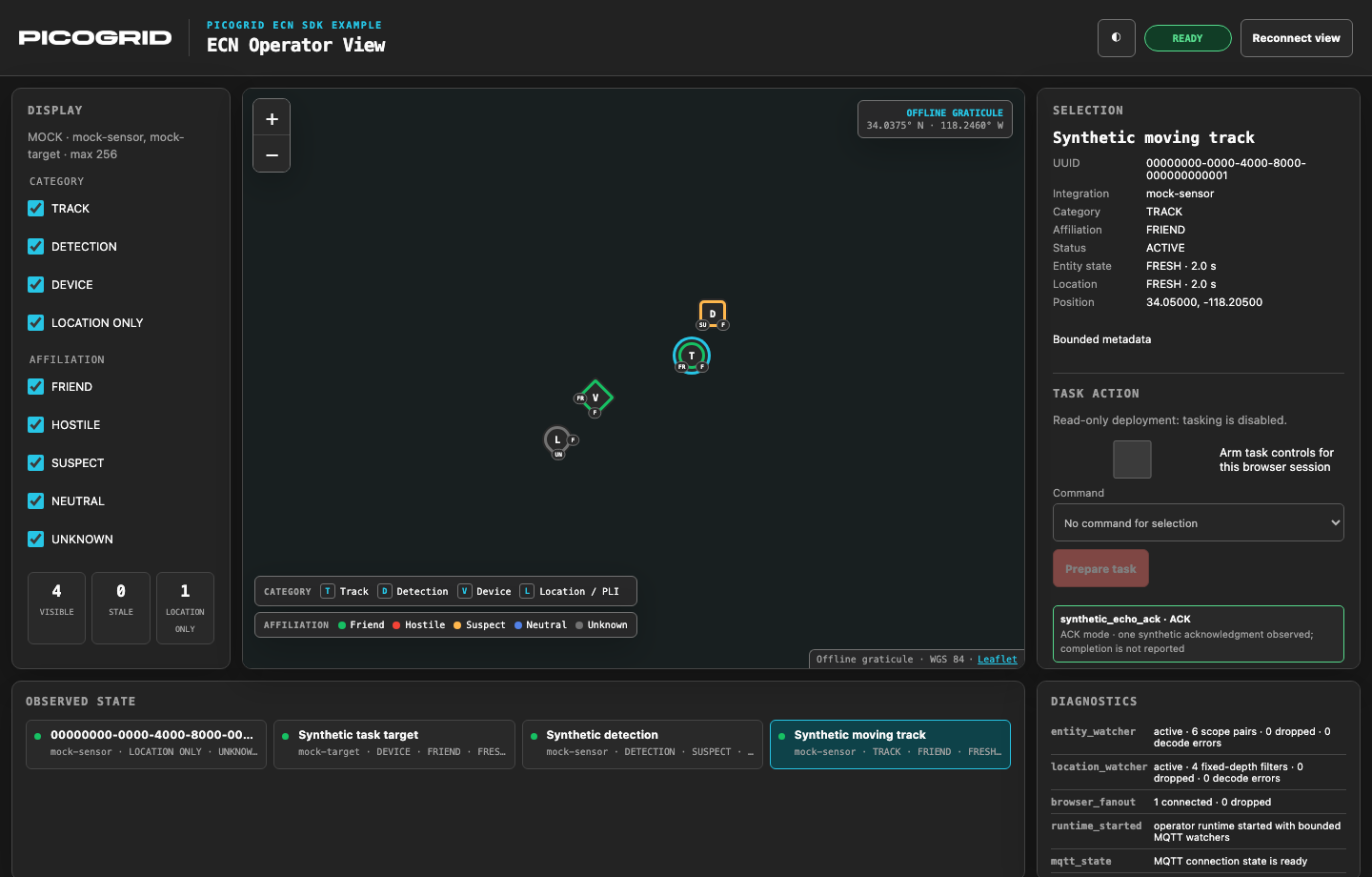 |
| Desktop, light | 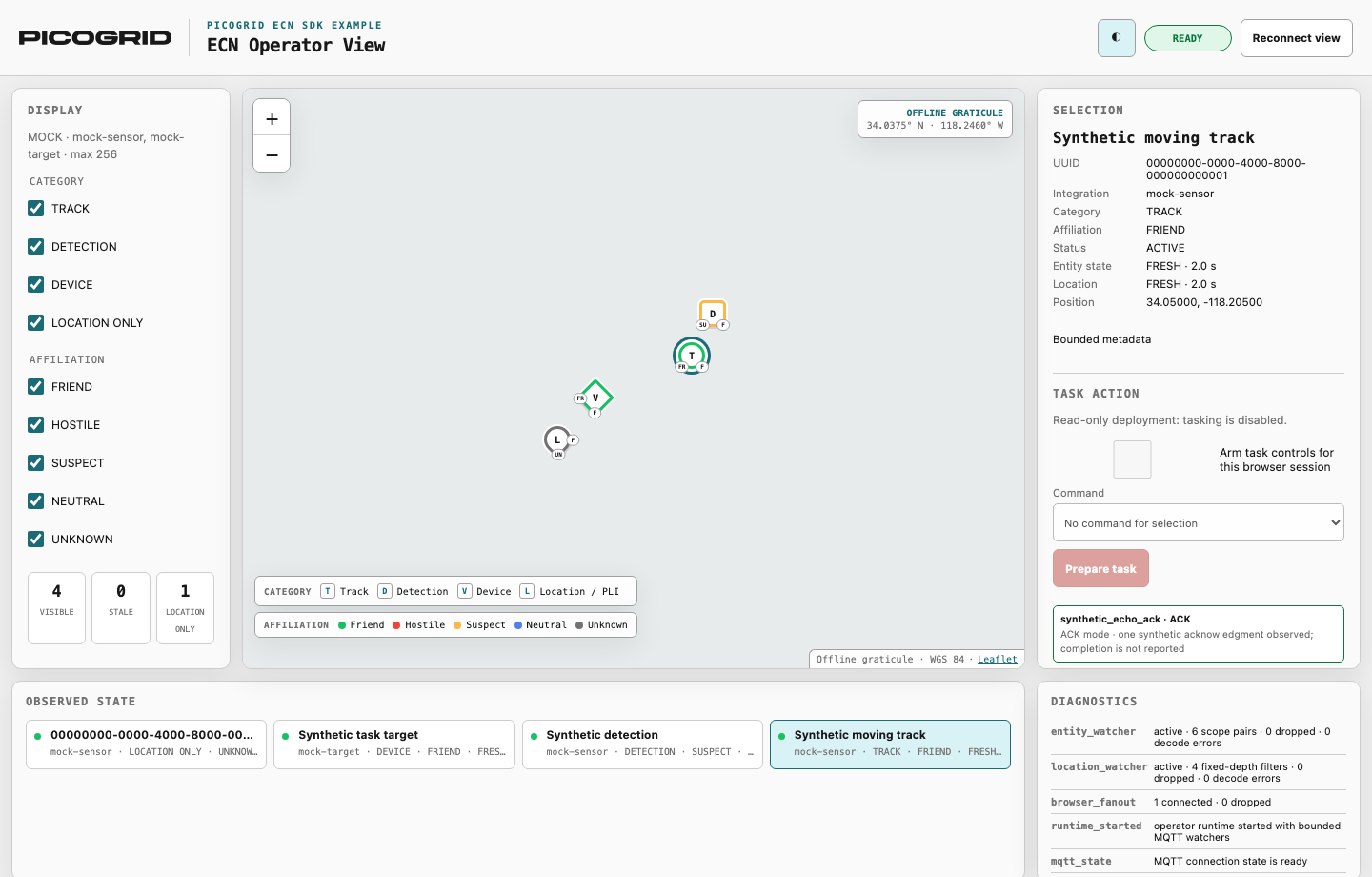 |
| Mobile, light | 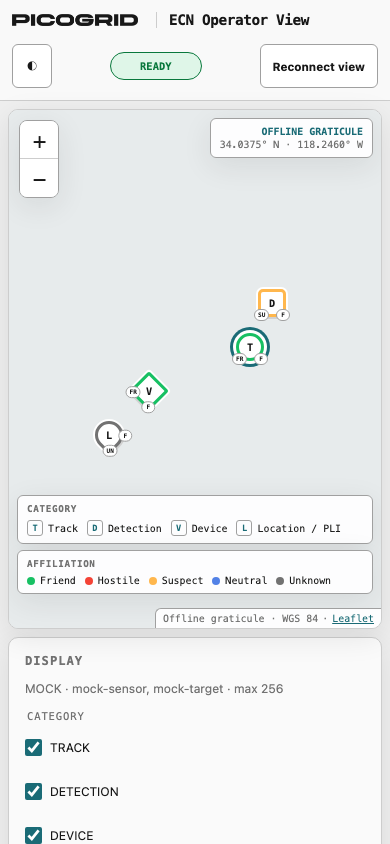 |
| Mobile, dark | 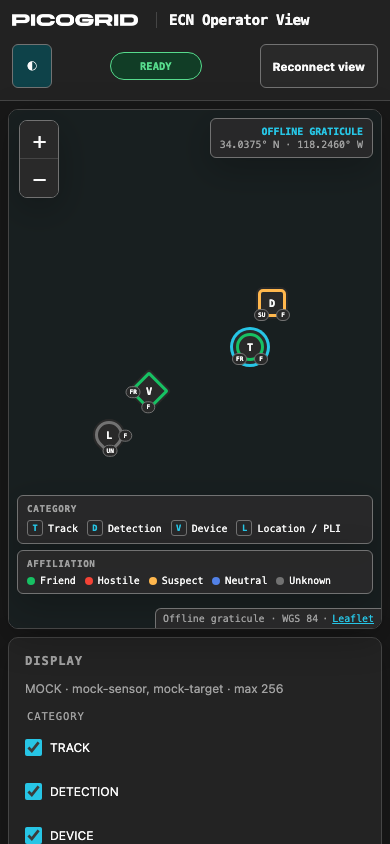 |
Operator walkthrough
Section titled “Operator walkthrough”Start and verify
Section titled “Start and verify”- Follow the operator application’s
installation instructions
to install the matching client and operator wheels, then run
picogrid-ecn operator --demo. No source copy, Node.js installation, npm command, or second development server is part of this runtime path. - Open the loopback browser URL. Verify that the connection indicator is ready, the configured integrations appear under Display, and the diagnostic counts match the requested entity and location filters. The shipped operator application labels a lost browser view view disconnected or reconnect required; MQTT diagnostics report the client as reconnecting when applicable.
Observe the current picture
Section titled “Observe the current picture”- Filter by category or affiliation, select a marker, and inspect its canonical UUID, integration, public metadata, independently aged entity state, and latest MQTT-observed location. The shipped operator application labels observations FRESH or STALE. A location-only marker intentionally has no invented entity metadata.
Enable and prepare tasking
Section titled “Enable and prepare tasking”- Leave tasking disabled for ordinary observation. Before preparing a task, obtain written authorization for the exact ECN target, target UUID, and command; confirmation is not authorization. When an authorized workflow requires tasking, restart with the explicit tasking flag, closed command policy, integration allowlist, and exact target-UUID allowlist.
- Select only an authorized fresh entity, arm the current browser session, choose an allowlisted command, enter a schema-valid bounded payload, and select Prepare task. The prepared task is awaiting confirmation and has not been sent.
- Review the complete target, command, response mode, and payload in the confirmation dialog. Fresh observations for the same integration/UUID may continue without changing the selected identity; selection, staleness, policy, readiness, and expiry are rechecked before confirmation.
Confirm and send once
Section titled “Confirm and send once”- Check the confirmation box and select Confirm and send once. This action sends the task. The application publishes once with no automatic retry.
- Interpret the shipped operator application’s outcome literally. It shows ACK, the returned final task status, FAILED, TIMEOUT, CANCELLED, RECONNECT, OUTCOME_UNKNOWN, or UNKNOWN; it does not expose separate sent or authorization denied status labels. Acknowledgment mode emits exactly one ACK and no unsolicited completion response. When building an operator display, label a policy or broker denial authorization denied, label an unsuccessful request failed, and reserve sent for a completed publication rather than downstream execution. If the downstream result is inconclusive, report outcome unknown, never success. The shipped application retains the task ID when available and the delivery phase in that outcome so an operator can correlate downstream state before considering another action.
Recover or close
Section titled “Recover or close”- If the browser or MQTT connection is lost, the application discards prepared work, disarms tasking, marks observations stale or disconnected, and requires an explicit browser reconnect plus a new preparation step. A manual reconnect opens a replacement state WebSocket only after the local backend acknowledges retirement of the exact prior browser-view generation; that lifecycle request does not contact the ECN.
- Close the browser and application, then remove the external work directory. Confirm that the process exits cleanly and that no watcher, task response subscription, MQTT connection, mock broker client, or temporary credential mount remains.
Production use checklist
Section titled “Production use checklist”Deployment and access
Section titled “Deployment and access”- Use matching, inspected client and operator wheels from the same release.
- Keep verified TLS and caller-owned mTLS material outside source, images, build contexts, logs, and reports; never enable remote plaintext or TLS bypass.
- Confirm broker ACLs independently. Operator application controls do not prove server-granted authorization; design the operator display to show a denied operation as authorization denied.
- Keep the local application server bound to loopback; use the separate explicit container-bind guard only inside the hardened container recipe.
- Treat the browser API as a trusted, local, single-user control surface. It is not an ECN API. It has no user login or per-user authorization, and Host, Origin, intent-header, and loopback controls do not authenticate another process on the same host.
Observation and tasking
Section titled “Observation and tasking”- Review the integration and category allowlists before observing.
- Before enabling tasking, review the integration, command, and exact target-UUID allowlists and confirm that the task payload passes validation.
- Require a complete operator review and one final human confirmation for every task. Make the send action unmistakable, publish once, and never retry automatically.
- Retain deployment-appropriate operator audit records without logging secrets.
Operational state and release validation
Section titled “Operational state and release validation”- Design the operator display so disconnected, reconnecting, stale, tasking disabled, authorization denied, data dropped, failed, and outcome unknown are visually distinct from success.
- Monitor bounded connection, watcher, decode-error, dropped-event, browser-fanout, task-outcome, freshness, and cleanup diagnostics.
- Run offline mock validation and separately authorized staging validation as different evidence tiers. Review Compatibility and limitations before operational deployment.
The installed application has offline browser and cleanup coverage. This walkthrough does not claim that the operator application has been validated against staging or production.
Version 0.2.0 · branch main